Every connection matters. Every request counts. Data moves at scale, and your infrastructure should too.

Whether you're looking to browse the web privately or manage multiple accounts without getting detected, Octo Browser makes it a straightforward experience. Integration with NinjaProxy takes only a few minutes.
.png)
Whether you're looking to browse the web privately or manage multiple accounts without getting detected, Octo Browser makes it a straightforward experience. The anti-detect browser builds up virtual browser profiles that you can pair with NinjaProxy's robust proxy solutions for a powerful combination.
Integration with NinjaProxy takes only a few minutes. Here's how to do it.
Marketed as an "anti-detect browser for multi-accounting", Octo Browser is exactly what it sounds like. It lets you manage multiple online accounts to stay undetected by the platforms, which could result in a ban.
Running more than one account is forbidden and often results in all associated accounts being banned, as outlined in the Terms of Service of platforms like Meta's Facebook and Instagram. Moreover, e-commerce platforms would deem it as fraudulent activity if they could connect two accounts to a single user.
If you thought an IP address was all you needed to hide, then you're dead wrong.
Modern web browsers store various types of metadata that websites can request behind the scenes when you connect to them. We're talking about the IP address, screen resolution, device type, operating system, browser version, browser extensions installed, time zone, GPU vendor, and more.
The entire exercise to pair NinjaProxy with Octo Browser is in an effort to hide certain information that exposes your identity.
Download and set up Octo Browser on your device from here.
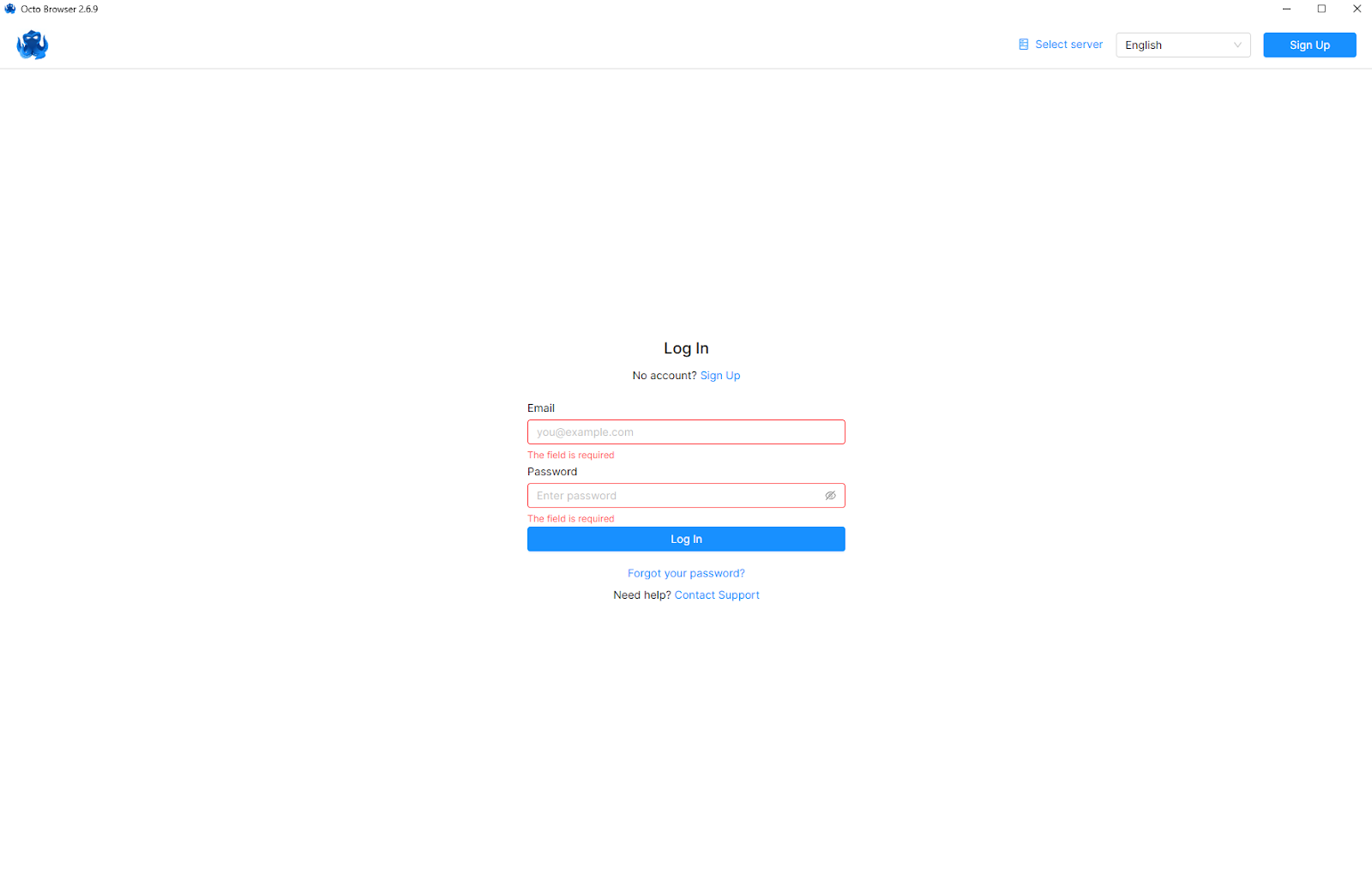
Launch Octo Browser and log in. (Sign up if you're a new user)
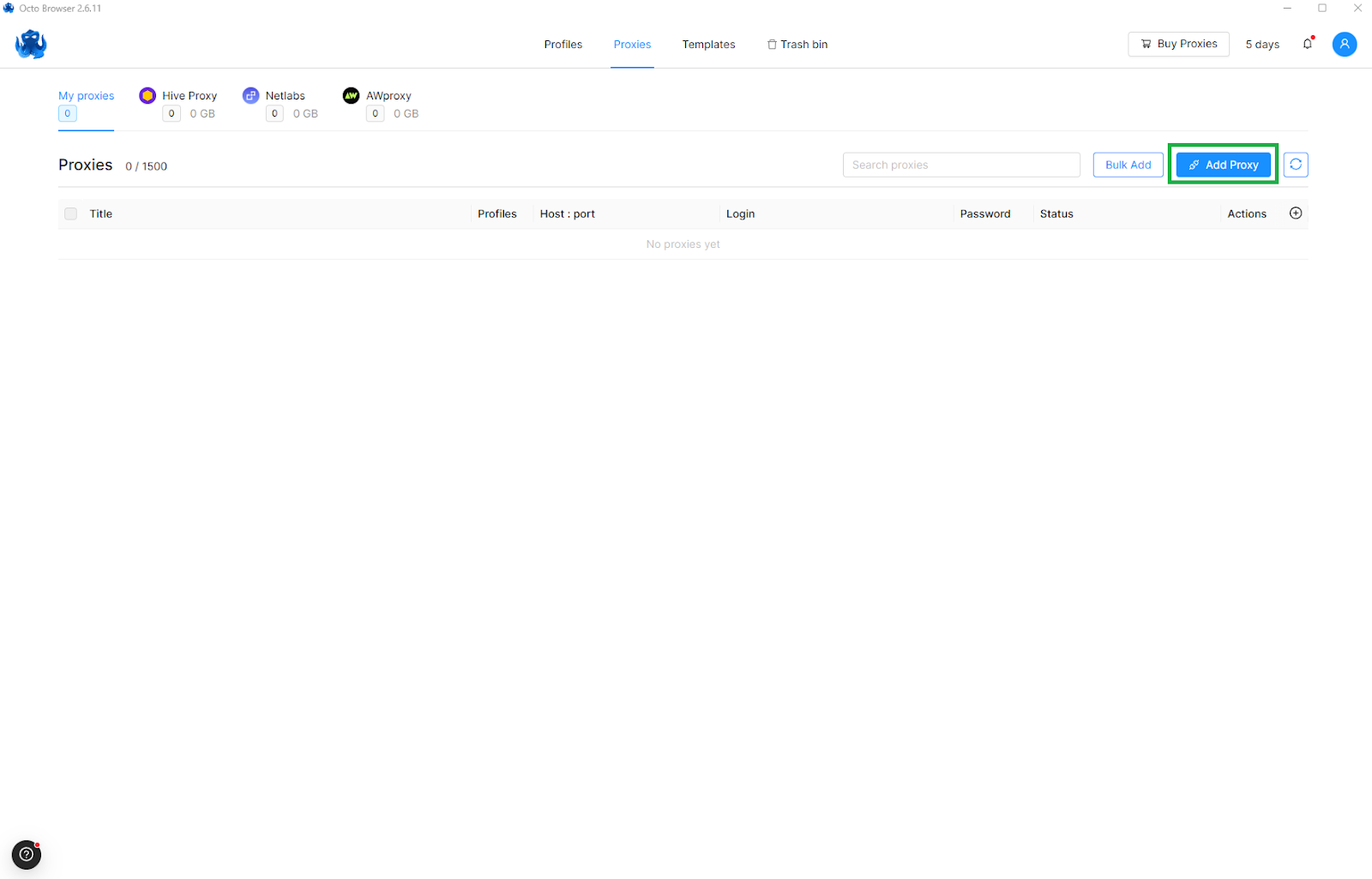
From the home screen, go to the Proxies section in the app. Now, click on Add Proxy.
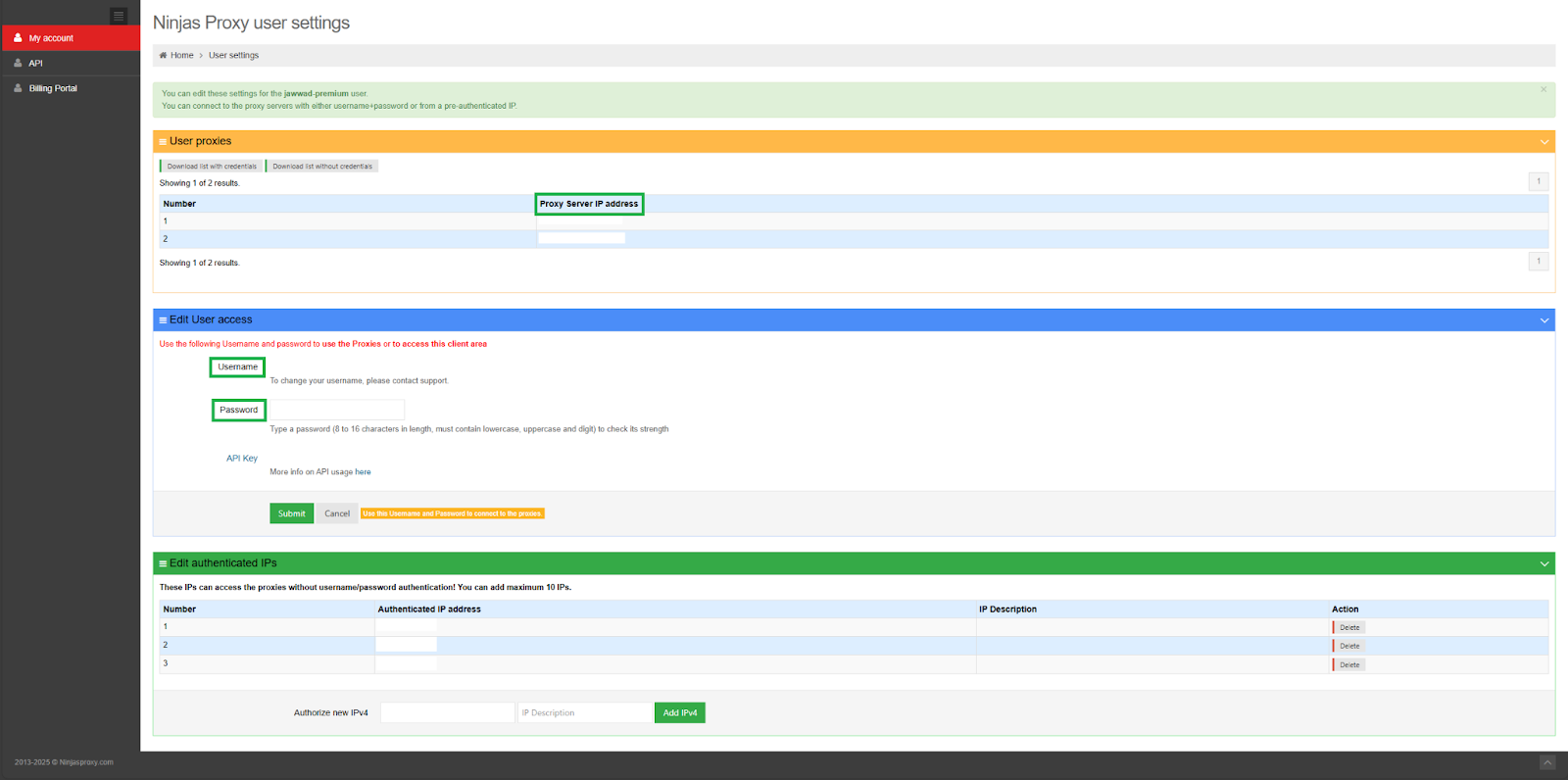
First, log in to your NinjaProxy dashboard to retrieve proxy information for the next step. Copy the proxy server's IP address, port number, and username and password for authentication.
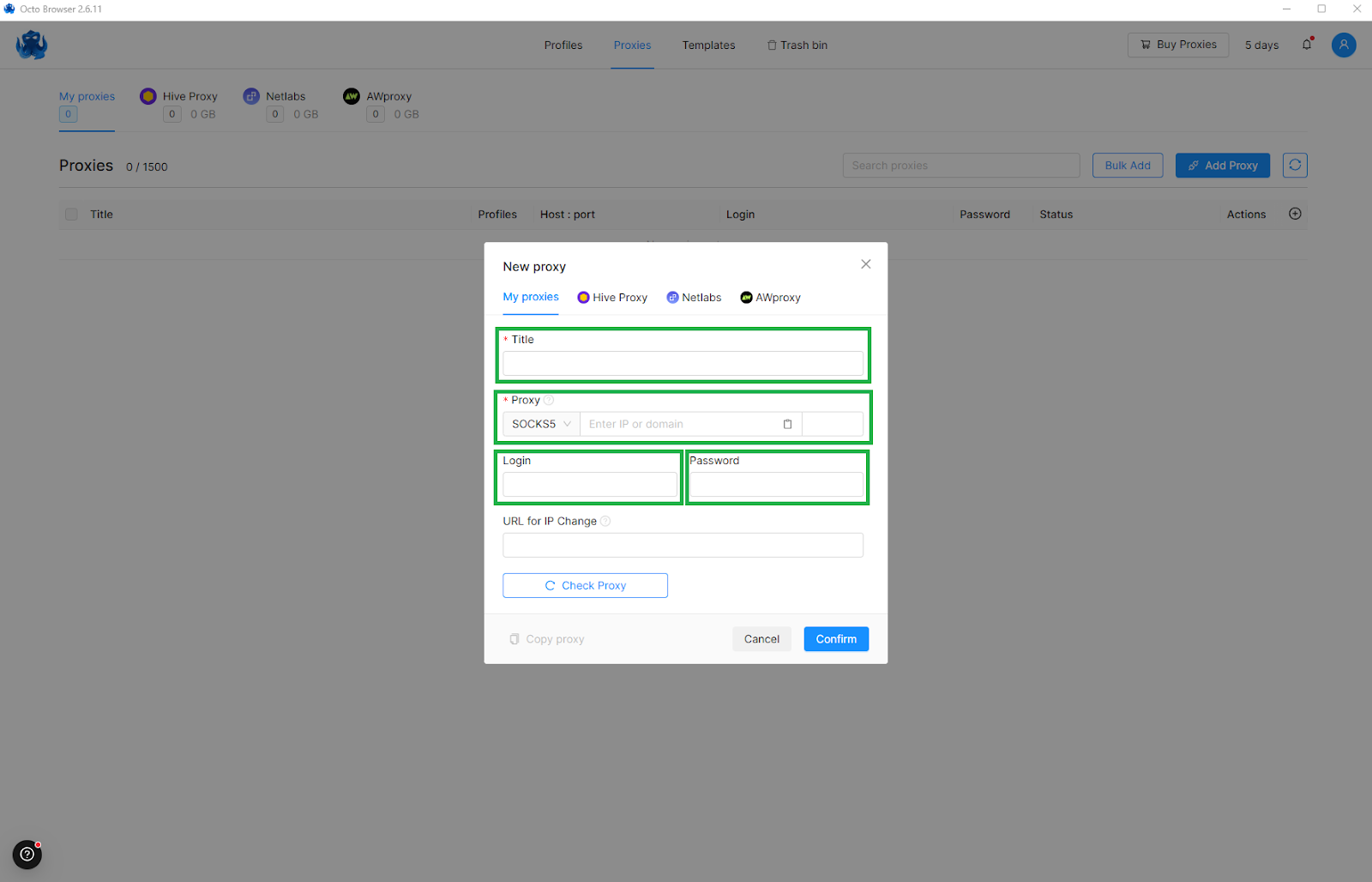
Return to Octo Browser's screen. Here, enter the proxy server details in the correct fields as highlighted in the screenshot.
Click on Check Proxy to verify the connection, then Confirm to save the proxy.
If you have multiple proxies, click on Download list with credentials in the NinjaProxy dashboard to download all in a text file. You can then either upload them as a batch or copy/paste them manually in the app.
Please note that only Shared, Premium, and Private proxies support SOCKS5.
Low block rate? Best uptime? Unlimited data? That's NinjaProxy for you. Sign up today for as low as $15/month and integrate NinjaProxy in Octo Browser for multi-account management.
We're here to assist you. Just drop us a message via our Contact Us page.
Our friends over at Octo Browser were kind enough to extend an exclusive offer for NinjaProxy customers. Use the link below and type in "NINJAPROXY30" during checkout to save 30% off on your first purchase.